Hoobot is cryptocurrency trading bot. It has several different modes but I will explain one of the simplest one here. Which is Market Making. First I want to make few things absolutely clear.
- Never expect profit from programmed bot.
- The source code is open so do your own research.
- Some of the things with Hoobot are still under construction.
- Hoobot does not utilize wash trading for fake volume, nor pumps up or down.
¶ Prerequirements
Hoobot is developed with Typescript as such you need Node.js v26.3.0 installed. So go ahead and install Node version manager on your computing unit (Windows versions). After you have it installed you can install the node version on konsole/terminal with the following commands.
nvm install stable
nvm use stable
¶ Installing Hoobot
Hoobot source code needs to be downloaded from github. So open Hoobot Github then download the source code.
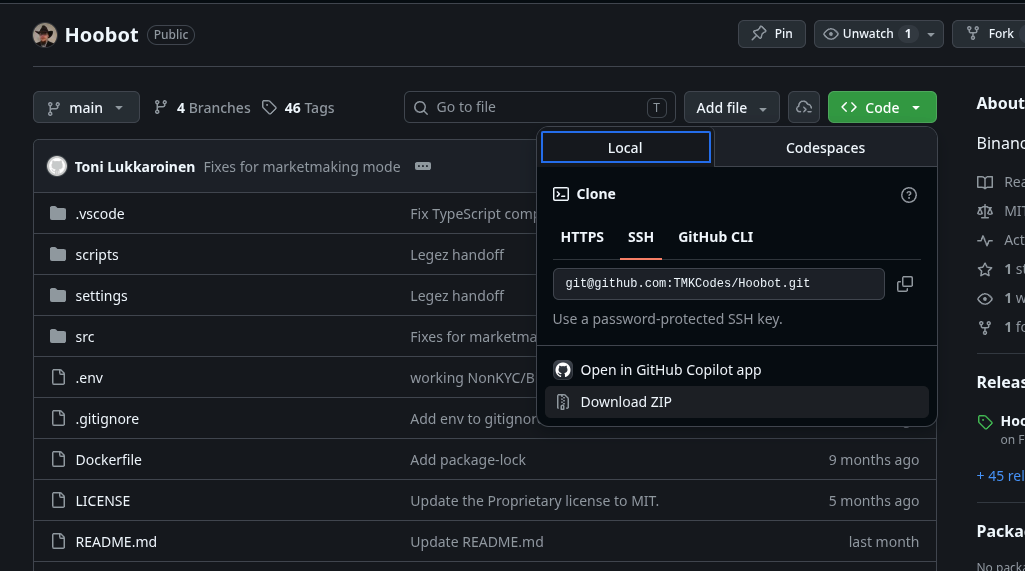
You can extract it wherever you want. But you need to be able to change directory of your konsole/terminal to the location of the hoobot source code.
When you have konsole/terminal open in the Hoobot source code folder, you can install it's dependancies with the following command.
npm install
Then you need to build the source code with the following command.
npm run build
Then in the hoobot/settings/ folder create a hoobot-options.json file. You also need to get your API keys for the exchange you want to use. Hoobot currently supports Binance, NonKYC and Dex-Trade.
Here is simple example of Hoobot options with Dex-Trade market making mode, practically what I'm currently using.
{
  "debug": true,
  "dryRun": false,
  "startTime": 1781774022254,
  "license": "",
  "simulationHistoryYears": 0,
  "discord": {
    "enabled": false,
    "token": "4",
    "applicationId": "",
    "serverId": "",
    "channelId": ""
  },
  "exchanges": [
    {
      "name": "dextrade",
      "key": "",
      "secret": "",
      "mode": "marketmaking",
      "console": "update",
      "symbols": [
        {
          "name": "HTN/USDT",
          "enabled": true,
          "timeframes": [
            "5m"
          ],
          "marketMaking": {
            "startingSlotQuote": 5.01,
            "spreadPercent": 1,
            "levels": 100,
            "levelSpacingPercent": 2
          }
        }
      ],
      "tradeHistory": {}
    }
  ],
  "simGrid": {
    "enabled": false,
    "configPath": "settings/sim-grid.example.json"
  },
  "running": true
}
¶ Running hoobot
After installing and building the Hoobot and it's dependencies and configuring the options. You can launch hoobot with command.
npm run start
It will launch the bot with the settings you specified in hoobot-options.json
It will also launch the web interface to the bot at https://localhost:5656, it will automatically start if you don't specify NOWEBUI=true environment variable.
¶ More information
Read the documentation or join Hoosat Network Discord for communication.